Know what changed before you board.
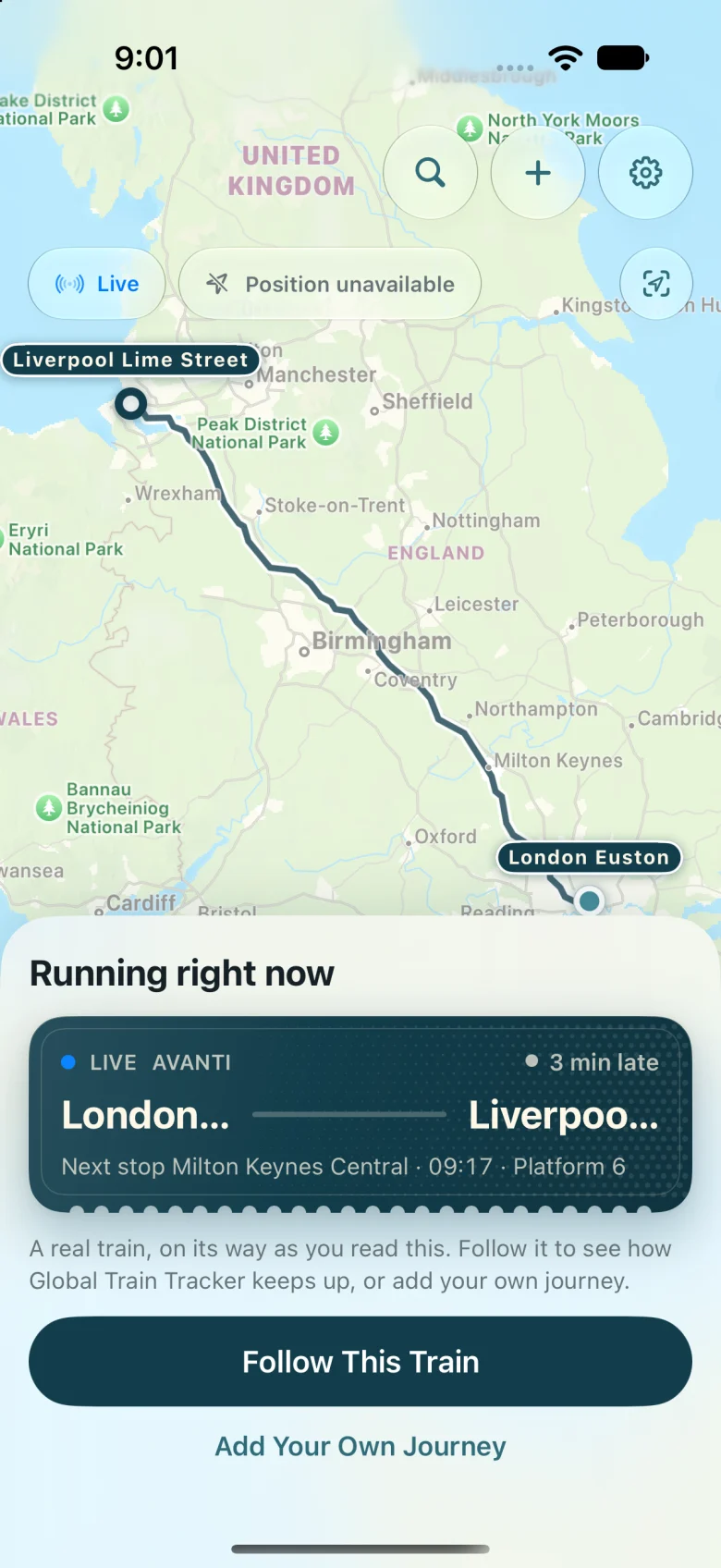
Your train, live on a map. Where it is, how it is running, which platform, and when to get off. Private, with no ads.
-
Before you leave
A ticket that prints itself.
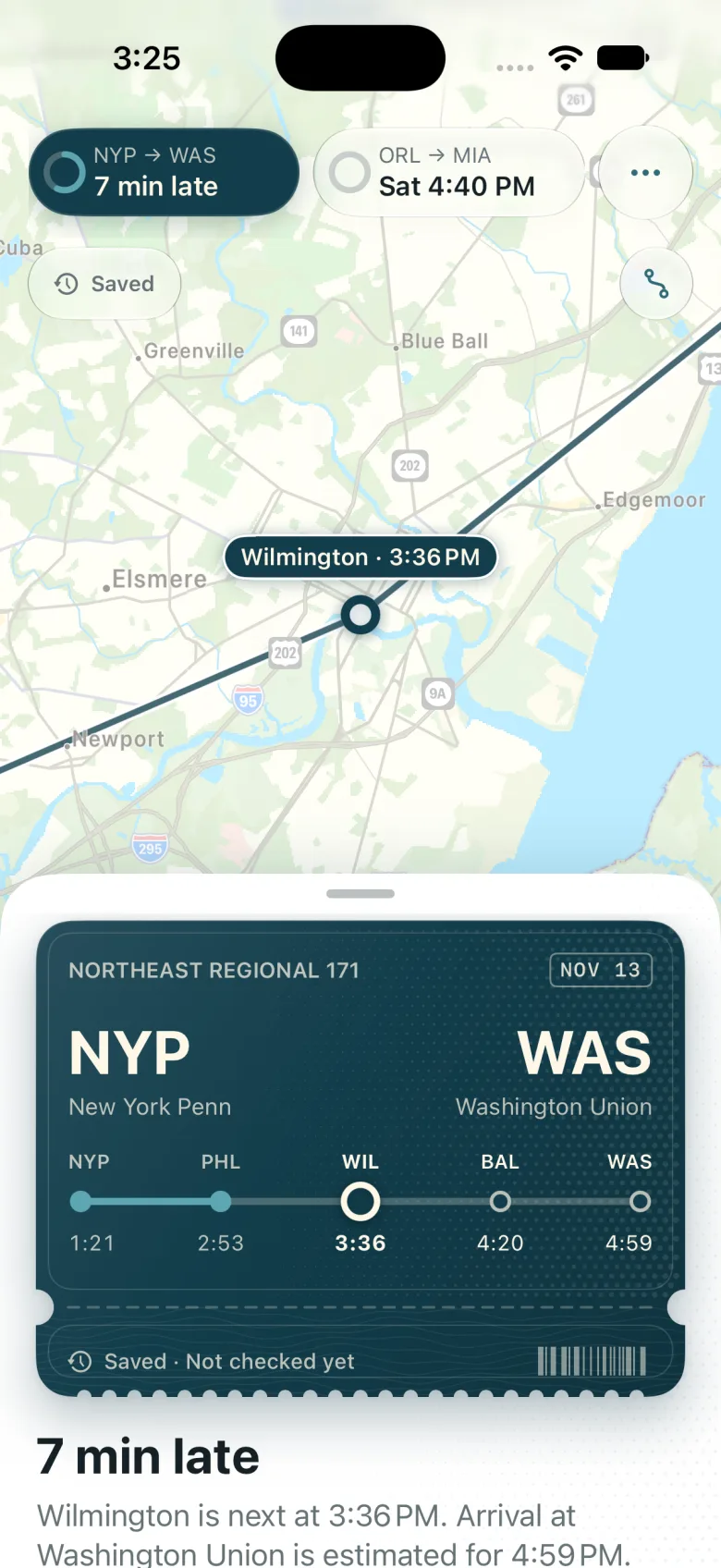
Add the journey from a photo, a PDF, pasted text, your Calendar or a forwarded confirmation. Its ticket feeds out of the slot with stations, times, platform and seat.
Originals stay on your device. To share, send a signed link that carries the train and nothing about you: no name, no booking reference, no barcode.
-
Departs · Track 9
The map is the screen.
Open the app and your train is already there, moving along its real track. The journey rests over the map in a panel you can raise for every stop, or drop to watch the line go by.
Choose a stop and the map flies to it. Slide a finger along the ticket and the map follows the route.
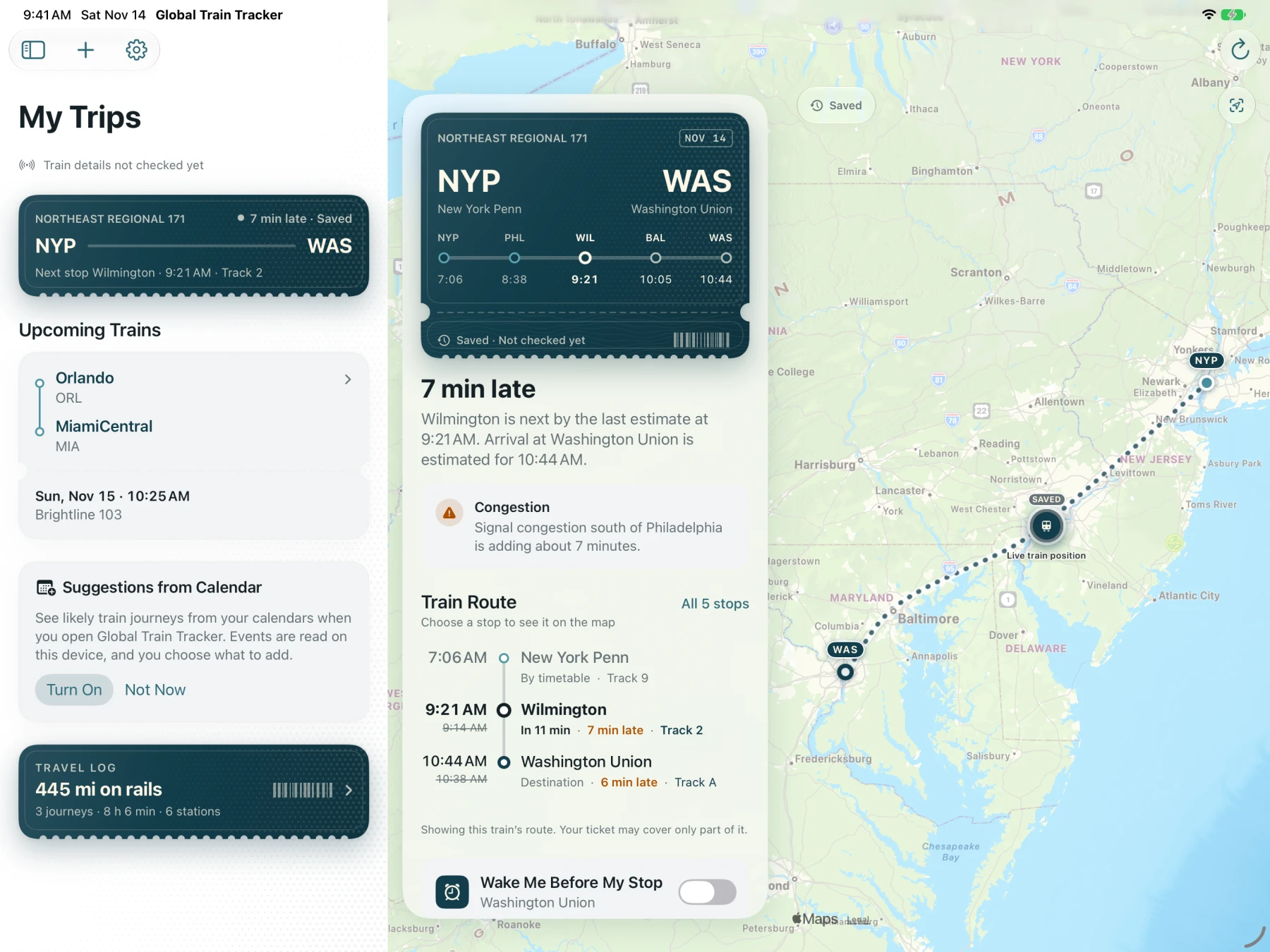
On iPad the journey floats beside the map. -
Philadelphia · 7 min late
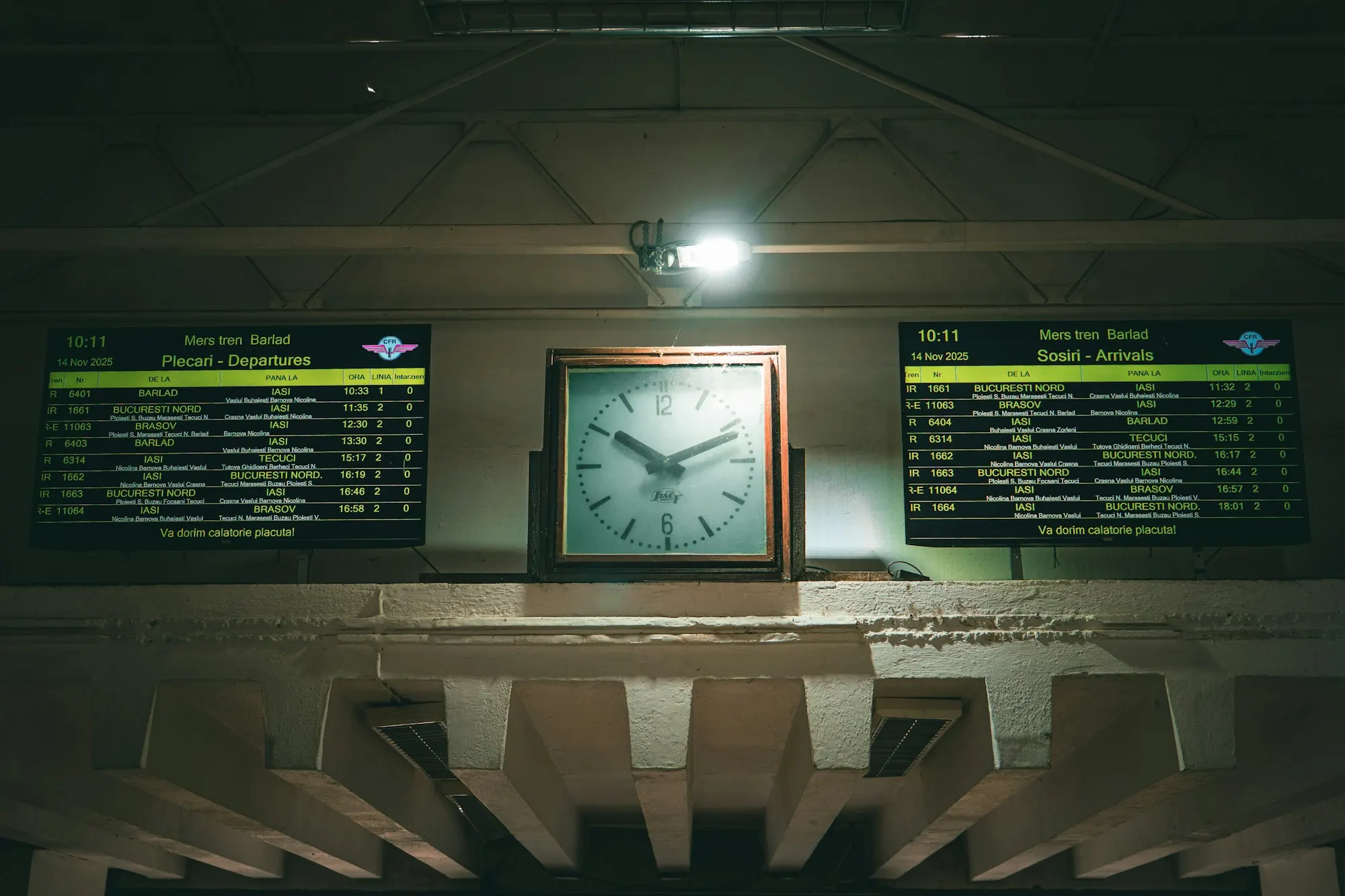
Departures and arrivals at Bârlad, Romania. A board can only show what it was told. It says what it knows, and no more.
Rail data arrives late, in pieces, or not at all. Roundhouse never dresses a timetable up as a live train. Every time on screen carries one of four words, and nothing turns red on data that was never checked.
- Live
- The operator reported this train within the last few minutes, and it is on the move.
- Estimated
- A prediction from the operator, or the app carrying the train forward between reports.
- Timetable
- The published schedule. Nothing says the train is early, late or even running.
- Saved
- What the app last knew. Not checked this session, so it stays quiet.
A train is marked Arrived only when something reports it there. If the clock simply runs out, the app says Arrival unconfirmed.
-
Wilmington · asleep
It wakes you before your stop.
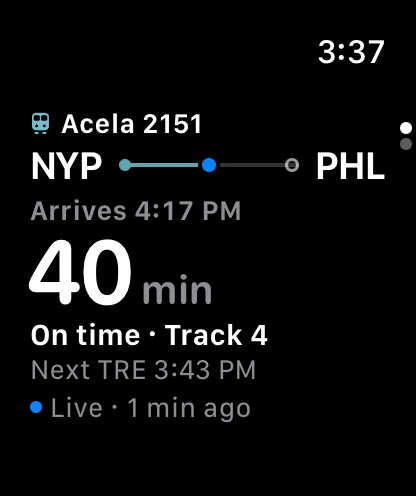
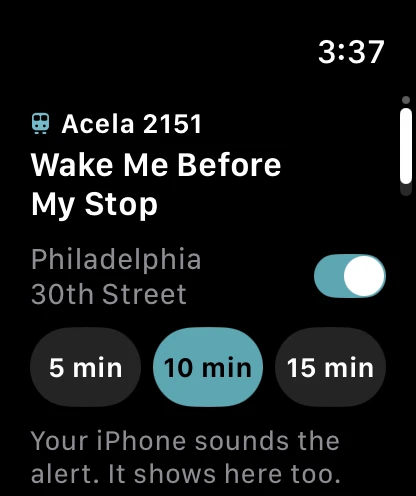
Turn on Wake Me Before My Stop and choose five, ten or fifteen minutes. With location allowed the alert follows the train itself, so it is still right when the train runs late. A last call sounds two minutes out.
Switch it on from your wrist, and keep the countdown one glance away.
-
Washington · Arrived
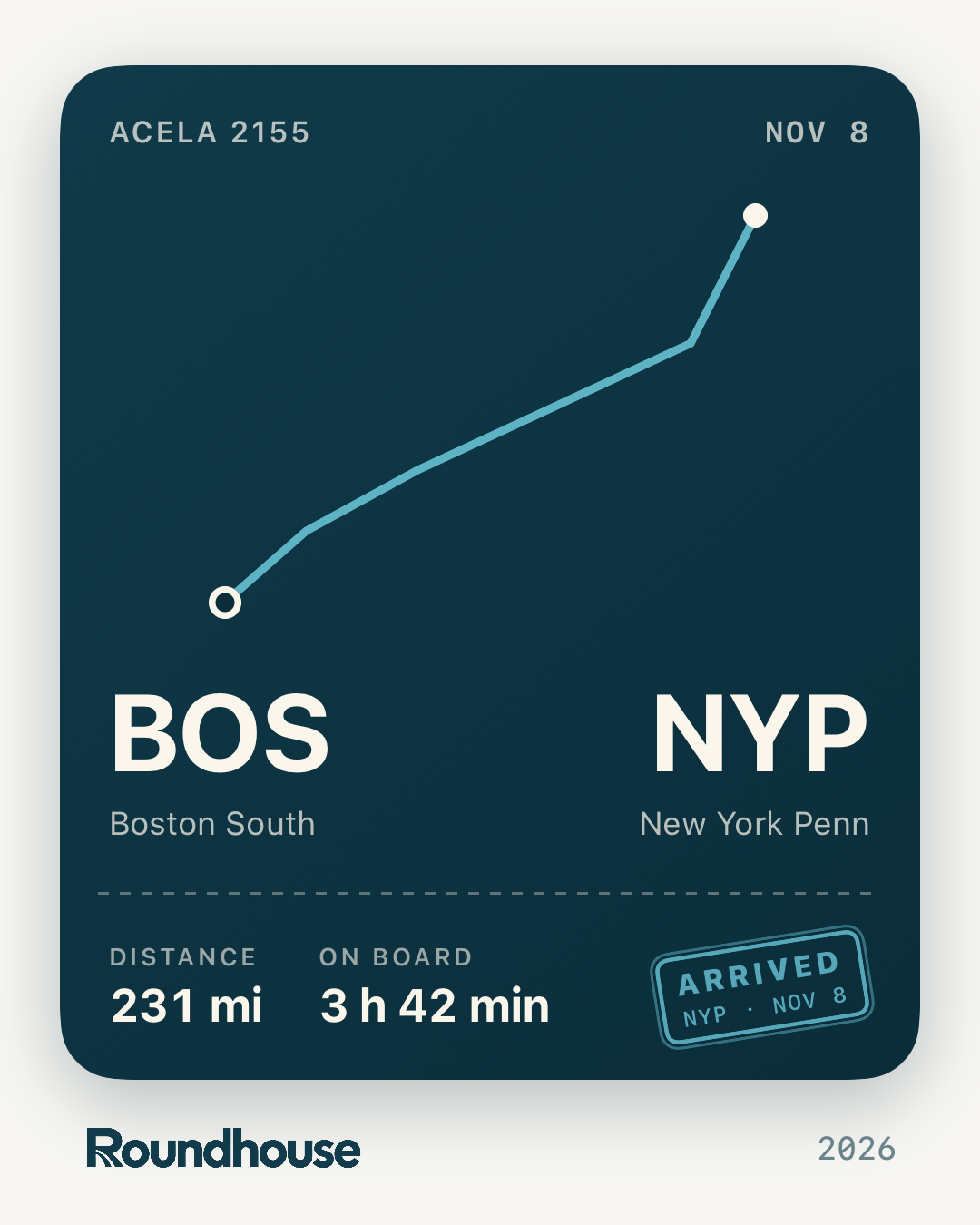
Every journey leaves a stub.
When you arrive, the stub tears off and goes in your Travel Log: where, how far, how long, with the line you rode drawn to its true shape. Keep it, or send the picture to whoever was waiting.
Mainline rail, where it can be done properly.
Roundhouse finds and saves mainline trains on Amtrak in the United States, across 39 European countries, and on intercity services in Canada, Australia, India, Morocco, Malaysia and Thailand, with the Chepe Express schedule in Mexico.
Finding a train is not the same as live data for it. Delays, platforms and train location each depend on the operator, the route and the individual train, so before you save a journey, Roundhouse shows which live features are connected for each train and flags coverage that is not confirmed. Coverage focuses on mainline and regional trains. Metro, tram, light rail and many urban networks are outside its scope.
Private. No ads. No account needed to follow a train.
Tickets you import stay on your device. If you forward a confirmation by email, the service keeps only the ticket fields and a size-limited attachment for your account, and you can rotate or turn off that address at any time.
Download on the App Store